
If you’ve ever wondered why some blog posts rank on page one while others with almost identical information sit buried on page five, the answer usually comes down to on-page SEO. It’s not glamorous, and it won’t make headlines the way a viral backlink story might, but it’s the part of SEO you actually control from start to finish.
On-page SEO is the practice of optimizing individual web pages, including their content, HTML elements, and structure, so that search engines and AI systems can understand what the page is about and rank or cite it for relevant searches. Below are the 14 steps that actually move the needle in 2026, why each one works the way it does, and the mistakes that quietly cost people rankings without them ever realizing it.
Why On-Page SEO Still Matters in 2026
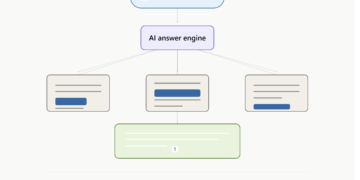
A few years ago, on-page SEO was mostly about pleasing Google’s crawlers. That hasn’t gone away, but now there’s a second audience reading your page: AI systems. Google’s AI Overviews, ChatGPT, and Perplexity all scan and summarize web content before a user ever clicks through. If your page isn’t structured clearly, these systems either misread it or skip it entirely in favor of a competitor who made their content easier to extract.
The good news is that the fundamentals haven’t really changed. Clear structure, honest answers, and content that actually satisfies the person searching have always worked for humans, and it turns out they’re exactly what AI systems need too. Good on-page SEO now serves both audiences at once.
1. Research Search Intent Before You Write Anything
This is where most on-page SEO advice gets vague, so let’s be specific. Before writing a single sentence, ask what someone typing your target keyword actually wants. Are they looking for a definition, a step-by-step process, a comparison, or a tool recommendation?
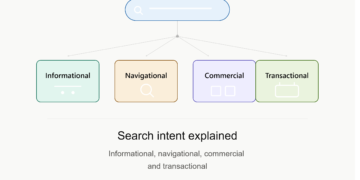
Google groups searches into a few broad intents: informational, navigational, commercial, and transactional. A page built for “what is on-page SEO” needs a clear definition near the top, not a 500-word story before answering the question. A page built for “best SEO tools 2026” needs a list with real comparisons, not a single paragraph vaguely mentioning tools.
One quick way to confirm intent: search your target keyword yourself and look at what’s already ranking. If the results are all product pages and your plan was a blog post, you’re fighting an uphill battle before you’ve even started writing.
2. Place Your Target Keyword Strategically
Once you know your keyword, it needs to show up in a handful of key spots so both search engines and readers instantly understand what the page is about. That means your title tag, URL, H1, at least one subheading, and the first paragraph.
Beyond that exact match, weave in related terms and phrases naturally. Search engines now understand topics and synonyms well enough that covering a subject thoroughly matters more than repeating one exact phrase over and over. Think in terms of the whole topic, not just one keyword.
3. Write a Title Tag That Earns the Click
Your title tag is the blue clickable headline in Google’s search results, and it’s often the single biggest factor in whether someone clicks your page over a competitor’s.
Here’s the practical detail most guides skip. Google displays roughly the first 50 to 60 characters of a title tag before cutting it off with “…”. Go over that limit, and your carefully written title gets chopped mid-sentence, which looks unprofessional and can bury your keyword before anyone reads it.
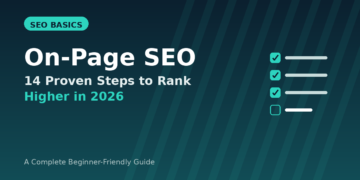
For example, a title like “The Ultimate Complete Ridiculously Detailed Guide to Understanding On-Page SEO for Beginners in 2026” is too long and will get truncated. A title like “On-Page SEO: 14 Proven Steps to Rank Higher in 2026” fits within the display limit, puts the keyword right at the front, and still tells the reader exactly what they’re getting.
A few rules worth keeping in mind. Put your primary keyword as close to the beginning as possible. Make every title tag on your site unique, since duplicate titles confuse search engines about which page to rank. Add a reason to click, whether that’s a year, a number, or a clear benefit. And avoid stuffing two or three keyword variations into one title, because it reads as spam to both users and algorithms.
4. Craft a Meta Description That Drives Clicks
Meta descriptions don’t directly affect rankings, but they heavily influence whether someone clicks your result instead of the one above or below it, and click-through rate is something Google does pay attention to over time.
Keep meta descriptions around 150 to 160 characters. Write them like a short pitch, not a keyword list. Tell the reader what they’ll get and why it’s worth their time. A description like “Learn on-page SEO with real examples, a beginner-friendly checklist, and the mistakes that cost you rankings” does more work than a description stuffed with the phrase “on-page SEO” three times.
5. Structure Content With Proper Header Tags
Every page should have exactly one H1 tag. Think of it as the main headline on the page itself, separate from the title tag that appears in search results. Search engines use it to confirm what the page is fundamentally about, and it’s one of the clearest signals you can give both readers and crawlers.
From there, H2s should break your content into logical sections, and H3s can further divide those sections when needed. This isn’t just an SEO formality. It genuinely helps readers scan your page and find the part they care about, which keeps them on the page longer.
Make your headings descriptive rather than vague. “Getting Started” tells a reader almost nothing, while “How to Set Up Google Search Console” tells them exactly what they’ll learn. A common mistake is skipping levels, jumping from H1 straight to H3, or using headers purely for visual styling rather than structure.
6. Keep Your URL Short and Descriptive
A clean URL tells both users and search engines what a page is about before they even click. Compare a messy URL like yoursite.com/blog/post?id=48291&cat=seo to a clean one like yoursite.com/on-page-seo-guide. The second is easier to read, easier to share, and includes the target keyword naturally.
As a rule of thumb, keep URLs short, use hyphens instead of underscores to separate words, and avoid stuffing them with dates or category names that add no value for the reader. Also avoid adding the year to a URL slug specifically, since you may want to update the article next year and updating a URL later means dealing with redirects.
7. Write Genuinely Useful Content, Not Just Long
Length alone doesn’t rank pages. A 3,000-word article that circles around a topic without answering it clearly will lose to a tighter 1,200-word article that actually solves the reader’s problem. Aim for depth where the topic needs it and brevity where it doesn’t.
Two things separate genuinely useful content from filler. First, cover the topic completely enough that a reader doesn’t need to open five other tabs to finish their research. Second, add something the top-ranking pages don’t already have, whether that’s a clearer example, a more current statistic, or a step nobody else explained well. Pages that only repeat what’s already out there rarely outrank the pages they’re copying from.
8. Build Internal Links With a Clear Purpose
Internal links do two jobs. They help visitors find related content, and they help search engines understand how pages on your site relate to each other, which spreads ranking authority around your site instead of trapping it on one page.
A simple framework that works well: every article should link to at least two to four other relevant articles on your site. Use descriptive anchor text, so link the phrase “keyword research process” to your keyword research guide rather than linking the word “here.” Link from your newer articles back to older, related ones, and update older articles to link forward to new ones too.
If you’ve already published a keyword research guide, this is exactly the kind of article that deserves a link the moment you mention choosing a target keyword. Likewise, once your technical SEO guide is live, this article should point readers there for the crawling and indexing side of things, since on-page and technical SEO work together rather than in isolation.
9. Add External Links to Credible Sources
It might feel counterintuitive to send readers away from your page, but linking out to trustworthy, authoritative sources actually builds trust with both readers and search engines. It signals that you’ve done your research and aren’t just making claims in a vacuum.
Link only when it genuinely supports a point you’re making, use natural anchor text, and don’t overdo it. A page with two or three well-placed external links to reputable sources reads as more credible than one with none, or one so full of outbound links it feels like a resource dump.
10. Optimize Images With Descriptive Alt Text
Alt text describes an image for search engines and for visually impaired users using screen readers. It should describe what’s actually in the image, include the target keyword only when it fits naturally, and avoid becoming a dumping ground for extra keywords.
Writing alt=”seo” tells a search engine almost nothing. Writing alt=”on-page SEO checklist showing title tag and header structure” is genuinely descriptive, which is what alt text is for in the first place. Give your image files descriptive names too, since a filename like on-page-seo-checklist.png gives search engines another small clue about what the page covers.
11. Add Schema Markup for Rich Results
Schema markup is a small piece of code added to your page that explicitly tells search engines what different parts of the content mean: this is a question, this is the answer, this is a step in a process, this is a review.
It doesn’t directly boost rankings, but it can earn you rich results in the search listings, like star ratings, FAQ dropdowns, or step-by-step previews, which tend to attract more clicks than a plain blue link. It also appears to help AI systems interpret your page’s structure more reliably. For a blog article with an FAQ section like this one, FAQ schema and Article schema are the two most relevant types to add. You can check whether your markup is set up correctly with Google’s free Rich Results Test.
12. Optimize for Page Speed and Core Web Vitals
A slow page loses readers before they ever see your carefully written content, and Google factors page speed into rankings too. The three metrics worth knowing are Largest Contentful Paint, which measures how fast your main content appears, Cumulative Layout Shift, which measures whether elements jump around as the page loads, and Interaction to Next Paint, which measures how quickly the page responds once someone starts clicking or scrolling.
The biggest wins usually come from compressing images before uploading them, choosing the right image format (WebP for photos, SVG for icons and logos), and avoiding unnecessary redirects. Run your page through Google’s free PageSpeed Insights tool to see exactly what’s slowing you down.
13. Show Real Expertise, Not Just Correct Information
Google’s quality guidelines put real weight on whether content demonstrates genuine experience and expertise, not just accurate facts pulled from elsewhere. This matters even more for topics that affect someone’s health, finances, or safety.
In practice, this means writing from real, first-hand knowledge where you can, including an author bio that shows relevant credentials or experience, and backing up claims with your own examples, screenshots, or data rather than only restating what other articles already say. A page written by someone who has actually done the thing they’re describing tends to read differently than one assembled purely from research, and both readers and search engines can usually tell the difference.
14. Structure Content So AI Search Engines Can Read It Too
AI Overviews and tools like ChatGPT and Perplexity favor content that answers questions directly near the top, uses clear headers that match how people actually ask questions, and breaks information into scannable chunks instead of dense paragraphs. Each section should make sense on its own, since AI systems often extract and cite individual sections rather than entire pages.
There’s no separate “AI SEO” trick here. Doing steps one through thirteen well is most of the work already done. The main addition is making sure each section opens with a direct answer to the question its heading poses, then expands with supporting detail underneath.
Common On-Page SEO Mistakes
A few patterns recur on sites that struggle to rank despite putting in real effort. Keyword stuffing, where the same phrase gets repeated unnaturally instead of using variations and related terms, is one of the most common. Duplicate meta descriptions across multiple pages tell Google those pages aren’t clearly differentiated. Ignoring search intent by writing a long story before answering the actual question someone searched for frustrates readers and hurts rankings alike. Thin content, meaning pages that technically cover a topic but don’t go deep enough to be genuinely useful, rarely holds its position for long. And publishing articles with no internal links means they exist in isolation instead of connecting to the rest of the site.
Quick On-Page SEO Checklist
- Title tag under 60 characters with the primary keyword near the front
- Meta description under 160 characters that gives a real reason to click
- One clear H1, with logical H2/H3 structure underneath
- Short, descriptive URL with the target keyword
- Primary keyword in the first paragraph and at least one header
- Two to four relevant internal links with descriptive anchor text
- A couple of external links to credible sources
- Descriptive alt text and filenames on every image
- FAQ or Article schema added where relevant
- Images compressed and page speed checked in PageSpeed Insights
- Author bio or content that shows real, first-hand expertise
- Content that actually answers what the searcher is looking for
Frequently Asked Questions
What is on-page SEO?
On-page SEO is the practice of optimizing individual pages of a website, including their content, HTML elements, and internal structure, so that search engines can understand them and rank them for relevant queries. It covers things like title tags, headers, URL structure, internal links, and how well the content matches what the searcher is actually looking for.
What is the difference between on-page and off-page SEO?
On-page SEO covers everything you can control directly on your own website, such as content, meta tags, and internal linking. Off-page SEO covers actions that happen outside your website, mainly backlinks from other sites and brand mentions, which build trust and authority in the eyes of search engines. Both work together, but on-page SEO is usually the better starting point since you have full control over it.
What are the most important on-page SEO factors?
The factors with the biggest impact are usually title tags, header structure, content that clearly matches search intent, internal linking, and page speed. Meta descriptions, alt text, and schema markup matter too, though their effect is more about click-through rate and how well search engines and AI systems interpret your page rather than direct ranking power.
Can I do on-page SEO myself, or do I need an expert?
Most on-page SEO tasks are things any website owner can learn and apply without hiring an agency. Writing clear title tags, structuring headers properly, and linking between your own articles doesn’t require specialized tools. Technical issues that touch site speed or schema markup sometimes benefit from extra help, but the core on-page work is very doable on your own.
How long does it take to see results from on-page SEO changes?
It varies by site, but on-page changes tend to show up in search results faster than other SEO tactics like link building, often within a few weeks once a page gets recrawled. Newer or lower-authority sites may take longer simply because search engines crawl them less frequently.
Is on-page SEO still important now that AI search and AI Overviews exist?
If anything, it matters more. AI systems still rely on clear structure, headers, and well-organized content to understand and summarize a page correctly. A page with weak on-page SEO is harder for both traditional search engines and AI tools to interpret, which makes it less likely to be ranked or cited.
How often should I update my on-page SEO?
There’s no fixed schedule, but it’s worth reviewing your top-performing pages every few months. Search intent shifts, competitors publish better content, and small updates like refreshing a title tag or adding a missing internal link can be enough to recover lost rankings without rewriting the whole page.